Panasonic Lumix S1R II vs S5 II – Which one is better?
Panasonic Lumix S1R II vs Panasonic Lumix S5 II – Which One Is Better?
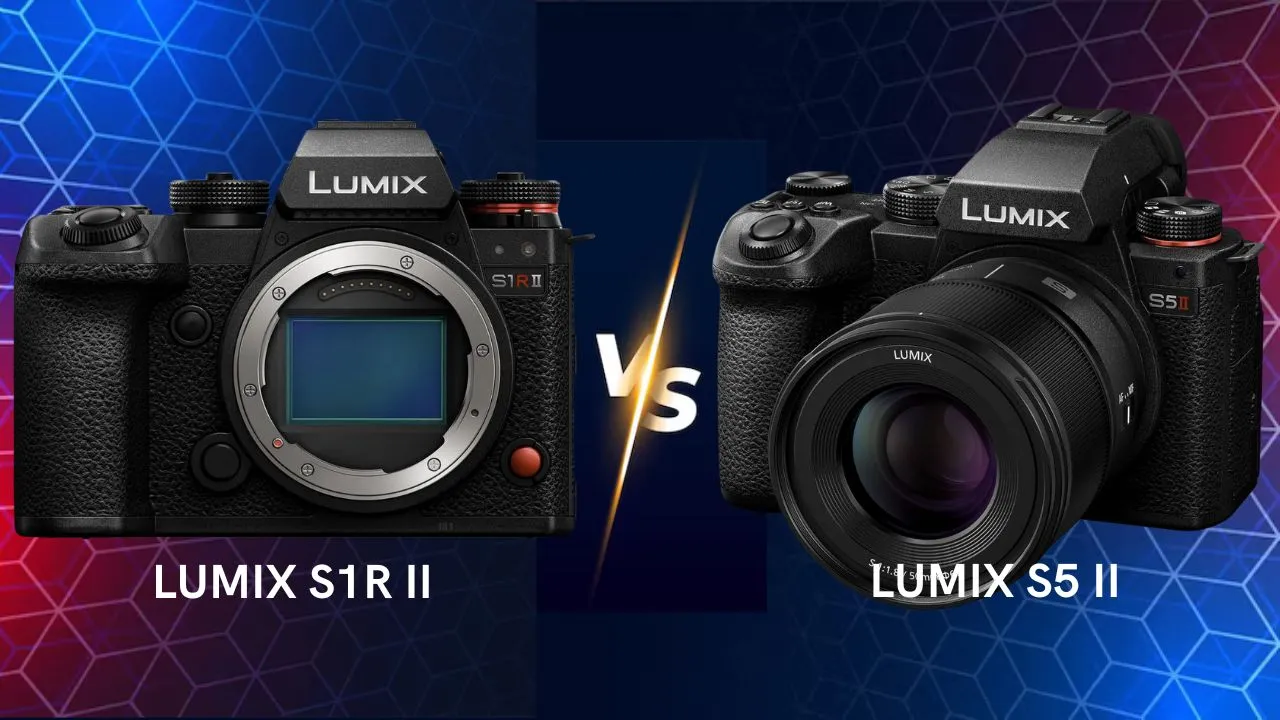
When choosing between the Panasonic Lumix S1R II and the Panasonic Lumix S5 II, you’re comparing two capable full-frame mirrorless cameras from Panasonic’s L-Mount system — yet they target slightly different photographers and creators.
Below is a thorough comparison to help determine which one fits your needs best.
⚙️ Overview — Resolution Specialist vs Hybrid All-Rounder
Panasonic Lumix S1R II:
A high-end full-frame mirrorless camera built for photographers who prioritize ultra-high resolution, rich color accuracy, and advanced video capabilities. It’s aimed at commercial, studio, landscape, and hybrid still/video creators who want top-tier quality.
Panasonic Lumix S5 II:
A more balanced full-frame mirrorless camera designed for hybrid creators who shoot both stills and video, value autofocus, portability, and strong performance at a more accessible price. It offers many modern features while sacrificing some resolution compared to the S1R II.
In short:
-
S1R II = Ultimate resolution and professional workflow.
-
S5 II = Versatile hybrid tool for photo + video at better value.
📸 Specifications Comparison
Here are key features side by side:
| Specification | Panasonic Lumix S1R II | Panasonic Lumix S5 II |
|---|---|---|
| Release Date | 2025 | 2023 |
| Camera Type | Full-frame mirrorless | Full-frame mirrorless |
| Sensor | ~44.3 MP full-frame BSI CMOS (high resolution) | 24.2 MP full-frame CMOS |
| Image Processor | High-performance Venus Engine (L² tech) | Venus Engine (hybrid AF/video focused) |
| Lens Mount | Leica L-Mount | Leica L-Mount |
| ISO Range | ~100–102 400 (expandable) | 100–51 200 (expandable to 204 800) |
| In-Body Image Stabilization (IBIS) | Yes, 5-axis sensor-shift | Yes, 5-axis sensor-shift |
| Autofocus System | Advanced hybrid AF with improved tracking | Hybrid AF with phase detect (~779 points) |
| AF Subject Recognition | People, animals, vehicles (advanced) | People & animals |
| Continuous Shooting Speed | Up to ~40 fps (electronic) | Up to ~30 fps (electronic) / ~9 fps mechanical |
| Video Recording | 8K30p; 6.4K60p; 4K120p (pro codecs) | Up to 6K30p & 4K60p (10-bit) |
| Video Bit Depth / Color | 10-bit+ with ProRes/RAW options | 10-bit internal (4:2:2) |
| Color Profiles | Advanced cine and photo profiles + LUT support | V-Log, CineLike, creative looks |
| RAW Video Output | Yes (internal ProRes + external) | Yes (via HDMI) |
| Recording Limit | Longer/managed via fan | Standard limits (~30 min) |
| Viewfinder | High-res EVF (~5.76 M dots) | Built-in EVF (~3.68 M dots) |
| LCD Screen | 3.0″ fully articulating touchscreen | 3.0″ fully articulating touchscreen |
| Touch Functions | Full touchscreen | Full touchscreen |
| Product Showcase Mode | — | — |
| Background Defocus Button | — | — |
| Body Material | Magnesium alloy, rugged pro build | Magnesium alloy, weather-sealed |
| Weather Sealing | Yes, robust sealing | Yes, dust & splash resistant |
| Audio Options | Mic input & headphone jack | Mic input & headphone jack |
| Connectivity | Wi-Fi, Bluetooth, USB-C, full-size HDMI | Wi-Fi, Bluetooth, USB-C, HDMI |
| Battery Type | DMW-BLK22 (high capacity) | DMW-BLK22 |
| Battery Life (CIPA) | ~330 shots (CIPA) | ~370–470 shots |
| Dimensions (W×H×D) | ~134 × 102 × 92 mm | ~134 × 102 × 90 mm |
| Weight (Body Only) | ~795 g with battery | ~740 g with battery |
| Approx. Price (Body Only) | Pro-level pricing (higher) (check on Amazon) | Mid-to-upper full-frame range (check on Amazon) |
🧱 Build and Handling
The S1R II brings a premium build tailored for professional use: robust construction, high-end controls, and features suited to studio, commercial or landscape work. It’s designed for photographers and creators who demand precision, detail and durability.
The S5 II, while excellent in build quality, leans more toward flexible and portable use. It’s lighter and easier to handle for creators who move around, shoot hybrid workflows, and don’t necessarily need ultra-resolution but still want full-frame performance.
👉 Verdict:
-
S1R II: Better for professionals, studio/landscape, maximum detail.
-
S5 II: Better for creators needing flexibility, video + photo, value.
🎯 Autofocus and Performance
The S5 II shines for hybrid work because it offers modern phase-detect autofocus with many focus points, making it well suited for video, hybrid shoots, and more dynamic subjects.
The S1R II introduces an improved autofocus system compared to older Panasonic models, making it far more usable for hybrids, but its primary strength remains resolution and image-quality rather than fastest AF/tracking.
👉 Verdict:
-
S5 II: More balanced for autofocus + video + stills.
-
S1R II: Excellent for stills/landscape, very good for hybrid but not the AF speed champion.
🎥 Video Capabilities
For creators who shoot video, both cameras offer strong features, but their priorities differ.
-
The S1R II offers very high resolution video modes (8K, high bit-depth), making it excellent for commercial video, creative filmmaking, hybrid still/video workflows where detail and color are priority.
-
The S5 II offers solid video features, good for creators, vloggers, hybrid shooters — balancing video and stills with modern autofocus and more accessible price.
👉 Verdict:
-
S1R II: Best for advanced video + stills workflows, high resolution.
-
S5 II: Best for hybrid creators needing strong video + stills at a lower cost.
🧠 Image Quality
If ultra-resolution is your goal (for large prints, fine art, commercial work), the S1R II’s higher megapixel sensor gives a clear edge in detail, dynamic range and cropping flexibility.
The S5 II’s lower resolution still delivers excellent full-frame image quality, often with better performance in low-light and smaller file sizes. For many creators, the difference may only be significant for specialized use.
👉 Verdict:
-
S1R II: Superior for maximum image detail and resolution.
-
S5 II: Excellent quality, more practical for many uses.
🔋 Workflow, Storage & Connectivity
Higher resolution cameras like the S1R II may demand faster storage, heavier workflow, larger files. The S5 II is easier to incorporate into typical creator workflows without as much compromise.
👉 Verdict:
-
S1R II: Best if you have professional workflow, need resolution, and don’t mind heavier files.
-
S5 II: Better if you want versatility, easier workflow, still strong features.
💰 Price and Value
Generally, the S1R II carries a significantly higher price tag reflecting its advanced specs and professional positioning, while the S5 II provides many modern features at a more accessible cost.
👉 Verdict:
-
S1R II: Best if budget is less of a constraint and you need the highest spec.
-
S5 II: Best value for most creators who want great stills + video without excessive cost.
Check availability and price on Amazon 🛒
📷 Lumix S1R II — Amazon USA / Amazon Canada / Amazon UK / Amazon Australia
📷 Lumix S5 II — Amazon USA / Amazon Canada / Amazon UK / Amazon Australia
Note: camerafight.com participates in the Amazon Associates Program. As an Amazon Associate, we earn from qualifying purchases.
🏁 Final Verdict — Panasonic Lumix S1R II vs S5 II
| Type of User | Recommended Camera |
|---|---|
| Commercial photographer / fine-art prints / ultra high resolution | S1R II |
| Hybrid creator (photo + video) / value oriented / modern AF | S5 II |
| Landscape / studio photographer needing maximum detail | S1R II |
| Enthusiast creator / everyday hybrid shooter | S5 II |
✅ In short:
Choose the Panasonic Lumix S1R II if your priority is maximum resolution, professional workflow, and top-tier image detail.
Choose the Panasonic Lumix S5 II if you want an extremely capable full-frame camera for both stills and video, modern autofocus and features, at a better price.
🧠 Final Thoughts
Both cameras are excellent, but they serve different users and missions.
The S1R II is a specialist tool for photographers and creators who demand finest detail and don’t compromise on workflow.
The S5 II is a versatile all-rounder, perfect for creators who want strong performance in both stills and video without going into ultra-high-end pricing.
Consider what you shoot, how you shoot, and what budget you’re comfortable with — and you’ll pick the one that’s better for you.