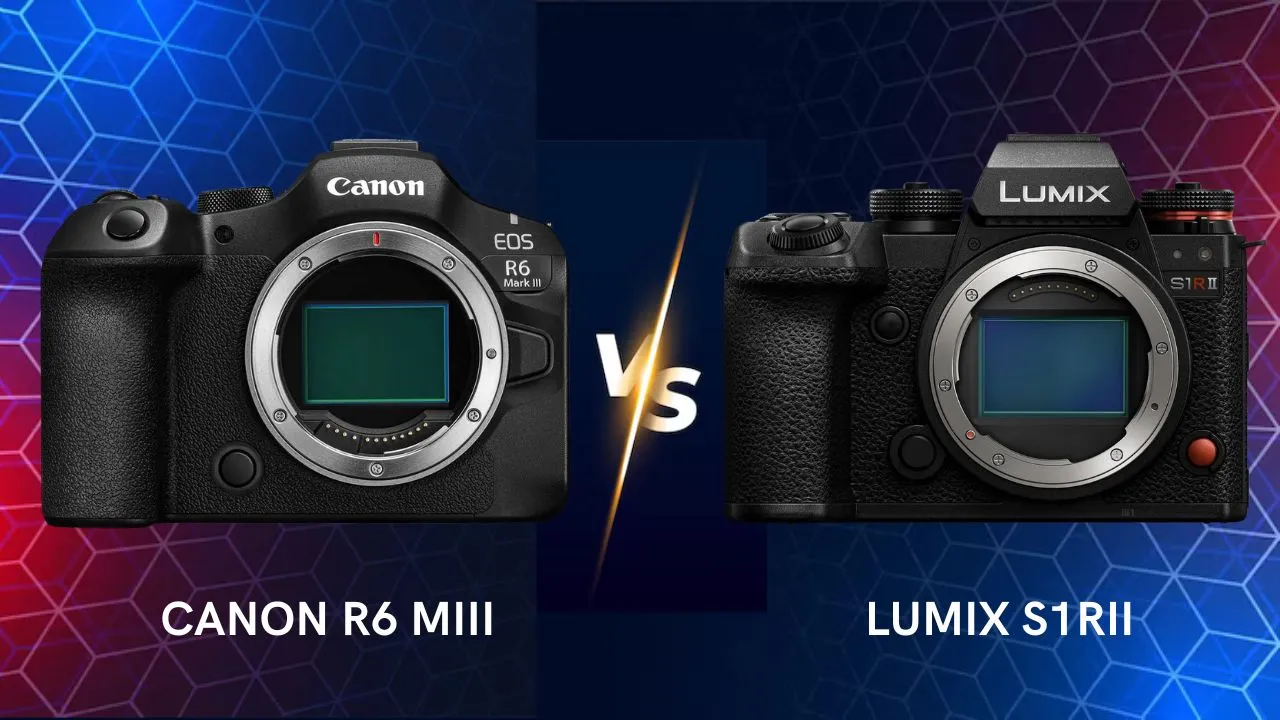
Canon EOS R6 Mark III vs Panasonic Lumix S1RII • Which one is better?
Canon EOS R6 Mark III vs Panasonic Lumix S1R II • Which One Is Better?
The Canon EOS R6 Mark III and Panasonic Lumix S1R II are two high-end full-frame mirrorless cameras targeting hybrid photographers and videographers who demand both stills and video capabilities.
While Canon’s R6 Mark III focuses on delivering superb hybrid performance with strong autofocus, speed, and video specs, Panasonic’s S1R II leans into ultra-high resolution stills and advanced video features with L-Mount versatility.
But which one should you buy? Let’s compare and break it down.
⚙️ Overview – Hybrid all-rounder vs High-Resolution Hybrid
Canon EOS R6 Mark III:
With a 32.5 MP full-frame sensor, up to 40 fps burst, in-body stabilization up to 8.5 stops, and internal 7K RAW / open-gate video, this camera is designed to handle both high quality photo work and serious video production.
Panasonic Lumix S1R II:
Featuring a 44.3 MP back-illuminated full-frame sensor, phase-hybrid autofocus, internal ProRes RAW (or internal high level codec) video up to 8K/30p or 6.4K open gate, this camera is aimed at creators who demand ultra-resolution stills and pro video workflows.
In short:
-
R6 Mark III = balanced hybrid powerhouse, excellent for both stills & video.
-
S1R II = more stills-centric with premium video credentials, ideal for creative work needing extra resolution.
📸 Specifications Comparison
| Feature | Canon EOS R6 Mark III | Panasonic Lumix S1R II |
|---|---|---|
| Release Date | 2025 | 2025 |
| Camera Type | Full-Frame Mirrorless (Hybrid) | Full-Frame Mirrorless (High-Resolution Hybrid) |
| Sensor | 32.5 MP Full-Frame Canon CMOS | 44.3 MP Full-Frame BSI CMOS |
| Sensor Design | Non-stacked | Back-Illuminated (BSI) |
| Image Processor | DIGIC X | Venus Engine II |
| Lens Mount | Canon RF | L-Mount (Leica / Panasonic / Sigma Alliance) |
| Low-Pass Filter | Yes | Yes |
| Dynamic Range | ~15 stops (Canon Log 2) | ~15 stops (V-Log) |
| Native ISO Range | 100 – 64,000 (Expandable 50–204,800) | 100 – 51,200 (Expandable 50–204,800) |
| Autofocus System | Dual Pixel CMOS AF II with AI subject detection | Phase Hybrid AF (779 points) with AI tracking |
| AF Detection Modes | Humans, Animals, Birds, Vehicles | Humans, Animals, Birds, Vehicles |
| AF Sensitivity Range | EV –6.5 to 21 | EV –6 to 20 |
| Continuous Shooting (Mechanical) | 12 fps with AE/AF tracking | 9 fps with AE/AF tracking |
| Continuous Shooting (Electronic) | 40 fps (full resolution) | 30 fps (full resolution, RAW Burst) |
| Buffer (JPEG/RAW) | 330 JPEG / 150 RAW @ 40 fps | ~200 RAW @ 30 fps (estimate) |
| Shutter Speeds | 30 s – 1/8000 (mechanical) / 1/16,000 (electronic) | 30 s – 1/8000 (mechanical) / 1/16,000 (electronic) |
| Pre-Burst / Pre-Capture | Yes (up to 0.5 s pre-shooting at 40 fps) | Yes (up to 1 s pre-shooting at 30 fps) |
| In-Body Image Stabilization (IBIS) | 5-Axis, up to 8.5 stops | 5-Axis, up to 8 stops |
| Digital IS (Video) | Yes (Active + Enhanced Modes) | Yes (Electronic IS + Boost Mode) |
| Viewfinder | 0.5” OLED 3.69 M-dots (120 Hz refresh) | 0.5” OLED 5.76 M-dots (120 Hz refresh) |
| Rear LCD Screen | 3.0” Vari-Angle Touch TFT (1.62 M-dots) | 3.2” Fully Articulated Touch LCD (2.1 M-dots) |
| Top LCD Display | No | Yes (Backlit Status Panel) |
| Storage Slots | 1 × CFexpress Type B + 1 × SD UHS-II | 2 × SD UHS-II (+ SSD via USB-C 3.2) |
| Direct SSD Recording | ❌ No | ✅ Yes (ProRes / H.265 via USB-C 3.2) |
| Video Resolution & Frame Rates | 7K 60p RAW Light / 7K 30p Open Gate / 4K 120p 10-bit 4:2:2 / FHD 180p | 8K 30p / 6.4K Open Gate / 4K 120p / FHD 240p (All-Intra 10-bit 4:2:2) |
| Video Codec Options | H.265, H.264, Canon RAW Light | ProRes 422 HQ, ProRes RAW, H.265, All-Intra |
| Recording Limits | Unlimited (heat-managed design) | Unlimited (Active Cooling Fan) |
| Color Profiles / Log | Canon Log 2 / Log 3 / HLG / HDR PQ | V-Log / V-Gamut / Real-Time LUTs |
| Color Depth | 10-bit 4:2:2 | 10-bit 4:2:2 (Internal) / 12-bit (ProRes RAW External) |
| Audio Ports | 3.5 mm Mic / Headphone jacks + Multi-Function Hot Shoe | 3.5 mm Mic / Headphone + Full HDMI + Timecode via adapter |
| Connectivity (Wireless) | Wi-Fi 2.4 & 5 GHz / Bluetooth 5.1 / FTP support | Wi-Fi 2.4 & 5 GHz / Bluetooth 5.0 / Wired IP Streaming |
| Connectivity (Wired) | USB-C 3.2 Gen 2 / Full HDMI Type A | USB-C 3.2 Gen 2 / Full HDMI Type A / Ethernet via USB adapter |
| Battery Type | LP-E6P (Compatible with LP-E6NH / E6N) | DMW-BLK22 |
| Battery Life (CIPA) | ~580 shots / 90 min 4K video | ~450 shots / 120 min 4K video |
| Charging / Power Delivery | USB-PD Charging and Power Delivery | USB-PD Charging and Power Delivery |
| Body Material | Magnesium Alloy Chassis | Magnesium Alloy + Die-Cast Front Plate |
| Weather Sealing | Yes (Dust / Moisture Resistant) | Yes (Dust / Splash / Freeze Resistant to –10 °C) |
| Dimensions (W×H×D) | 138.4 × 98.8 × 88.3 mm | 148.6 × 111.9 × 85.6 mm |
| Weight (Body Only) | 699 g (25.7 oz) | 795 g (28 oz) |
| Launch Price (Body Only) | ~$2,799 / €2,899 (Check on Amazon) | ~$3,299 / €3,199 (check on Amazon) |
| Ideal For | Hybrid shooters, event and wedding photographers, YouTubers | High-resolution photographers, filmmakers, studio and commercial use |
🧱 Build and Handling
The R6 Mark III continues Canon’s excellent ergonomics: deep grip, intuitive control layout, familiar feel for EOS users. It feels very well suited to hybrid shooters who switch between stills and video.
The S1R II brings Panasonic’s refinement in a body that is reportedly more compact than previous high-res models, but still somewhat heavier than mid-tier hybrids due to its high-res sensor and robust build.
Verdict:
-
If you prefer lighter handling and rapid switching between stills & video, the R6 Mark III has an edge.
-
If you prioritize build/ruggedness and are comfortable with a slightly heavier body in exchange for ultra-resolution, the S1R II is strong.
🎯 Autofocus and Performance
Canon’s AF system in the R6 Mark III inherits from its flagship line, offering excellent subject detection (people, animals, vehicles) and high burst performance. Many reviewers comment that the autofocus is top-tier.
Panasonic in the S1R II has significantly improved autofocus with phase-hybrid AF and tracking, but some reviewers note it may still lag behind the absolute best in very fast sports/animal action.
Verdict:
-
R6 Mark III: Slightly better for action/fast subjects due to more mature AF system.
-
S1R II: Excellent for general use, but if your priority is ultra-fast tracking in unpredictable scenarios, R6 Mark III may have a slight advantage.
🎥 Video Capabilities
The R6 Mark III is an exceptional hybrid video camera: 7K RAW Light, open gate recording, 4K up to 120p, strong stabilization, full-frame sensor. It’s tailored for creators who demand high quality both in stills and motion.
The S1R II ups the game in terms of resolution and codec flexibility: 8K capture, ProRes RAW internal, internal high end video features. It may appeal more to users who lean more heavily on video, especially high resolution and future-proof workflows. However, some reviewers mention that rolling shutter and sensor tech (non-stacked sensor) can limit certain fast motion use cases.
Verdict:
-
R6 Mark III: Best for a hybrid shooter who wants top video and stills in one package.
-
S1R II: Best for video-centric workflows where ultra resolution and advanced codecs matter most.
🧠 Image Quality
The R6 Mark III’s 32.5 MP sensor hits a sweet spot: more resolution than older 24 MP models, while maintaining good low-light performance and flexibility.
The S1R II’s 44.3 MP sensor offers significantly higher resolution, great for large prints, cropping, or stills workflows where detail is king. Its BSI design improves dynamic range.
Verdict:
-
S1R II gets the edge if your primary need is ultra-resolution stills.
-
R6 Mark III offers a more balanced resolution for general hybrid use, with better versatility in video.
🔋 Battery Life and Workflow
Both cameras support modern workflow features. The Canon offers dual-card compatibility (CFexpress + SD) and is well integrated into the RF ecosystem. The Panasonic offers L-Mount flexibility, which is an advantage if you already own L-Mount glass or value cross-brand lens options.
Internal video recording and high resolution workflows will demand fast cards and robust storage, where the S1R II’s high data rates may push workflow boundaries more than the R6 Mark III in some cases.
Verdict:
-
R6 Mark III: Probably simpler workflow for many photographers who also do video.
-
S1R II: More demanding workflow but offers more data/quality margin for pro users.
💰 Price and Value
-
Canon EOS R6 Mark III: ~$2,799 USD body-only at launch.
-
Panasonic Lumix S1R II: ~$3,299 USD launch price for the body.
In terms of value: The R6 Mark III offers tremendous hybrid capability for its price. The S1R II costs more, reflecting its higher resolution and more premium stills/video features.
Verdict:
-
R6 Mark III: Excellent value for most hybrid creators.
-
S1R II: A premium investment for those who will fully harness its higher resolution and pro video features.
Check availability and price on Amazon 🛒
📷 Lumix S1R II — Amazon USA / Amazon Canada / Amazon UK / Amazon Australia
📷 Canon R6 M3 — Amazon USA / Amazon Canada / Amazon UK / Amazon Australia
Note: camerafight.com participates in the Amazon Associates Program. As an Amazon Associate, we earn from qualifying purchases.
🏁 Final Verdict — Canon EOS R6 Mark III vs Panasonic Lumix S1R II
| Type of User | Recommended Camera |
|---|---|
| Hybrid photographer + videographer (balanced) | Canon EOS R6 Mark III |
| Photographer needing ultra-high resolution stills | Panasonic Lumix S1R II |
| Video-centric creator needing pro codecs | Panasonic Lumix S1R II |
| Travel / event hybrid shooter | Canon EOS R6 Mark III |
| Studio stills shooter working large prints | Panasonic Lumix S1R II |
✅ In short:
Choose the Canon EOS R6 Mark III if you want a highly capable camera that excels both in stills and video, with strong autofocus, good speed, and a practical hybrid workflow.
Choose the Panasonic Lumix S1R II if your primary requirement is ultra-resolution stills and pro-level video workflows — and you’re comfortable with a slightly heavier body, more demanding workflow, and higher cost.
Both are outstanding cameras — it really comes down to your workflow priorities, lens ecosystem (RF vs L-Mount), and whether you lean more stills or video (or both) significantly.